AI chatbot for business: examples, costs and the rules to follow
An AI chatbot answers your customers at night and on weekends, in its own words and based on your own documents. It doesn't pay off for every business, though, and disclosure laws now apply in the EU and parts of the US. Below are six use cases, current prices of off-the-shelf tools, the risks and a five-step rollout plan. We write as developers who build AI solutions, chatbots included, in code.
Related service: AI automation for businesses
AI chatbots for business in a nutshell
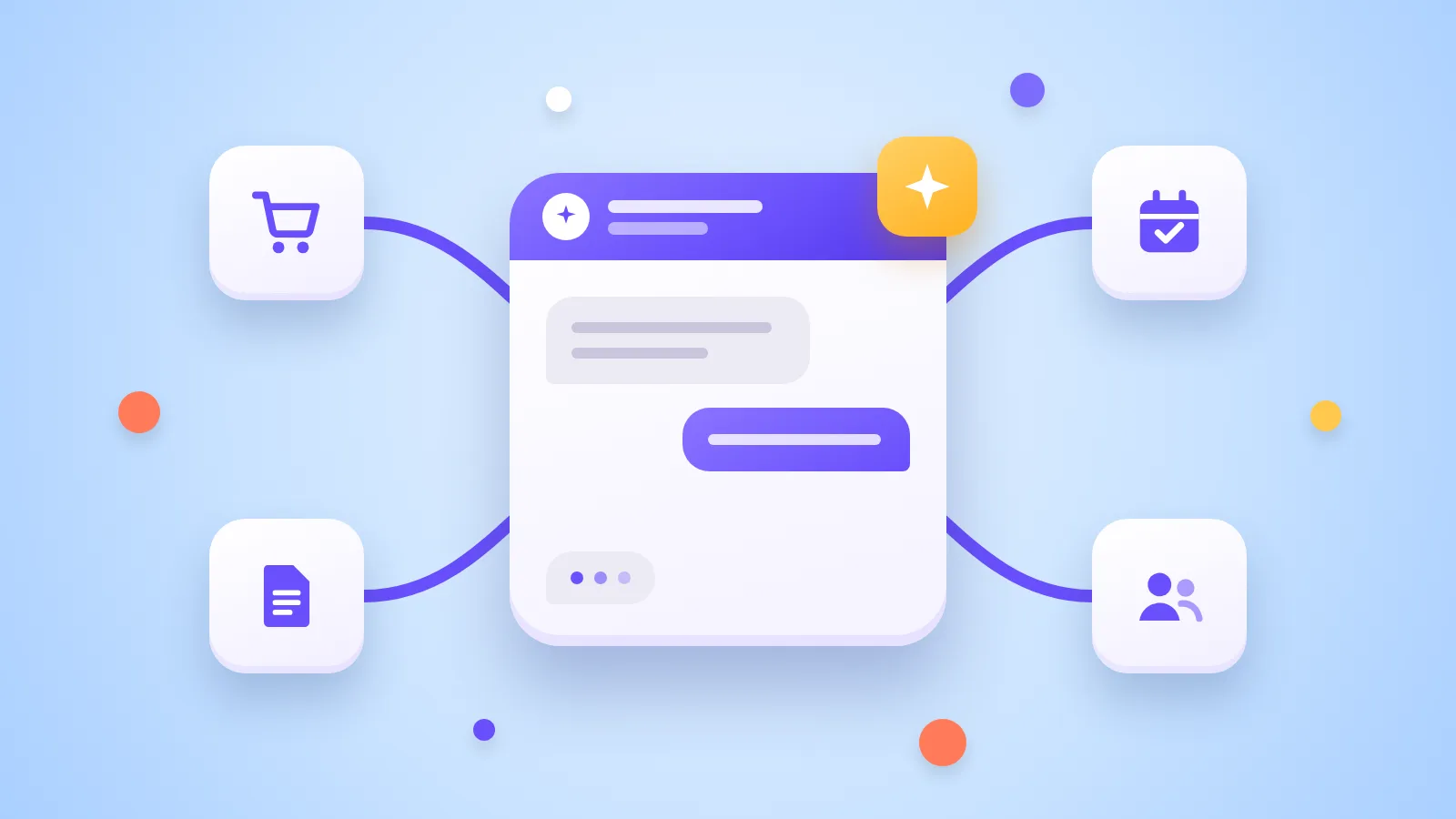
An AI chatbot is a program on your website that answers customer questions in natural language. It understands questions asked in the customer's own words and looks for answers in your documents: price lists, terms or manuals.
- It pays off when you get many repeat questions and customers also write outside business hours. - It doesn't when only a few people write each week or every question is different. - Licenses for off-the-shelf tools start at tens of dollars a month. At higher volumes you pay per resolved question. - Disclosure rules apply in more places. In the EU, since 2 August 2026 people must know they are talking to an AI system.
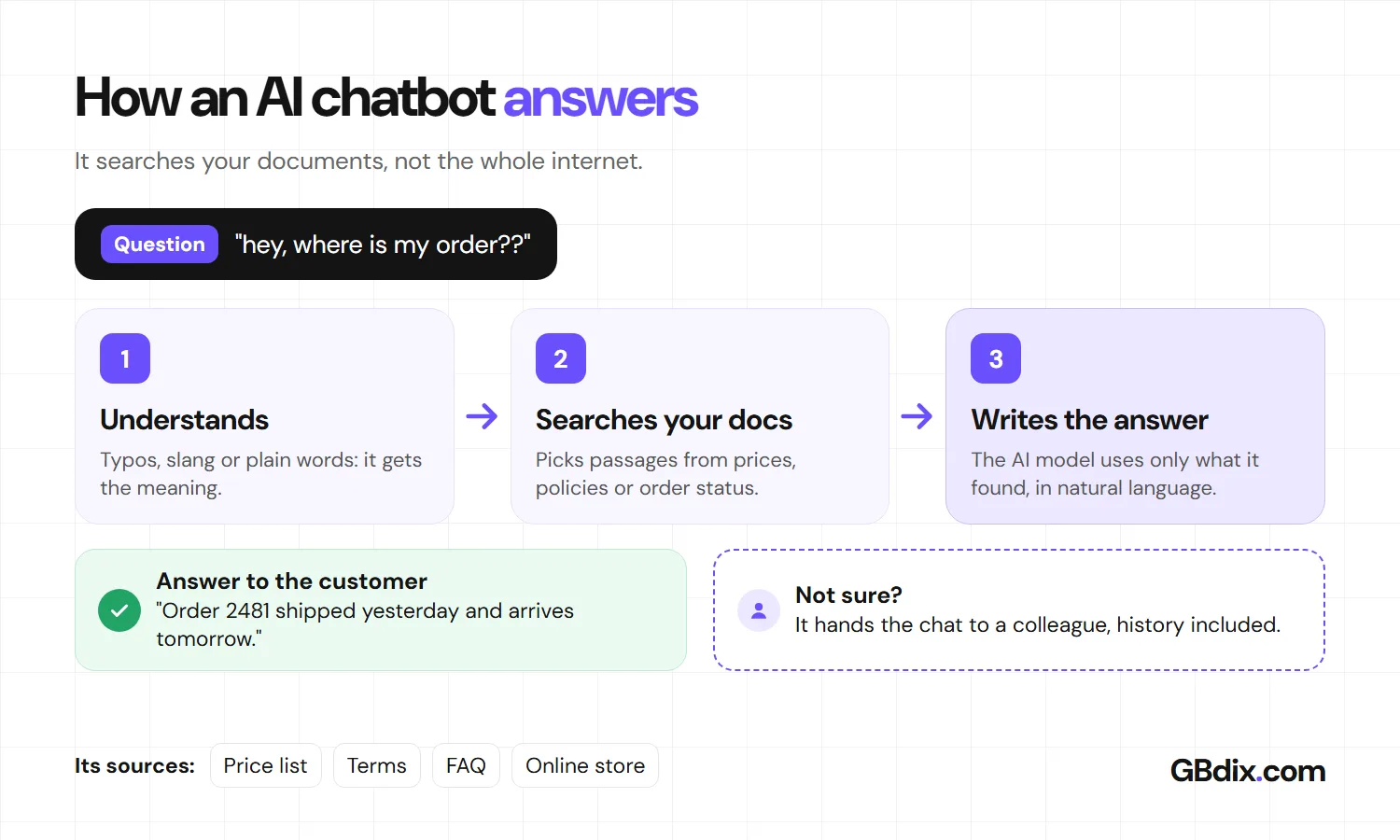
The most important rule: a chatbot must be able to say "I don't know" and hand the conversation to a person.
What is an AI chatbot and how is it different from older chatbots?
Older chatbots followed a script: the customer clicked buttons, and when a question didn't fit the script, the bot failed.
An AI chatbot runs on a language model, the same kind of technology as ChatGPT, Gemini or Claude. For every question it first searches your documents for relevant passages and only then writes the answer. This approach is called RAG (retrieval-augmented generation), and it is why a good chatbot doesn't make up prices or policies.
A chatbot mostly answers, while an AI agent also acts: it enters an order or drafts a quote. We explain the difference in AI agents for small business.

Where does an AI chatbot make the most sense? Here are six typical examples.
6 ways an AI chatbot can help your business
- Online store: shipping, returns and, once connected to your store, the status of a specific order. - Services: prices and free slots at salons, repair shops or clinics, with a link to your booking system. - Leads after hours: the chatbot asks about scope and timing and sends the lead straight to your CRM. - B2B and technical questions: it finds the right spec in hundreds of pages of catalogs and manuals faster than a person. - Internal chatbot: it answers employees' questions about policies, procedures or expenses. - Several languages: it answers Spanish, German or Polish customers in their own language even when your documents are only in English.
When you don't need an AI chatbot
In a Gartner survey, 64% of customers said they would prefer companies not to use AI in customer service. Their top worry was that it would get harder to reach a person.
A chatbot doesn't pay off when:
- only a handful of people write each week, - the information on your website is outdated or contradictory, because the chatbot will simply repeat it, - you sell complex solutions and buyers want to talk to an expert, - it would give medical, legal or financial advice.
Klarna is a useful lesson. In 2024 it announced that its AI assistant was handling two-thirds of customer service chats, the work of 700 agents. A year later its CEO admitted that quality had suffered, and Klarna started hiring people back into support. A chatbot should take routine work off your team, not replace it.
Now the prices. Keep in mind the license is only part of the cost.
How much does an AI chatbot cost? Off-the-shelf tool prices
| Tool | How you pay | License from | Best for |
|---|---|---|---|
| Tidio (Lyro) | Conversations included in the plan | Starter $33/month billed annually, 50 conversations | Online stores, for example on Shopify or WooCommerce |
| Intercom Fin | Per outcome, such as a resolved question | $0.99 per outcome, minimum 50 a month | Companies with high support volume |
| Zendesk AI agents | Per automated resolution | $1.50-2 per resolution, plus seats for people | Teams already on Zendesk |
| Smartsupp (Mira AI agent) | Conversation bundles | €16/month billed annually, 100 AI conversations | Smaller online stores, popular in Central Europe |
| Custom chatbot | One-off build plus AI model usage | Depends on scope, priced after an analysis | Companies that need links to their own systems and control over data |
What you pay on top of the license
The monthly tool fee is usually the smallest item. The work costs more:
- Content: collecting and updating prices, policies and answers to common questions. - Integrations: the chatbot only knows order status or free slots if you connect it to your store, booking system or CRM. - Upkeep: testing before launch, then reading conversations and filling the gaps. - Growth with volume: with per-resolution pricing, the bill grows with every customer. At 500 resolved questions a month, Fin costs about $495 for the AI alone.
At high volume it is worth comparing a custom chatbot that doesn't charge a fee per conversation. We cover when building beats buying in custom software vs SaaS.
Off-the-shelf tool or custom chatbot?
An off-the-shelf tool is enough when:
- you mostly answer general questions from your website and terms, - your store runs on a platform the tool supports directly, - you want to test quickly whether customers use a chatbot at all.
A custom chatbot makes sense when:
- answers need data from your own systems, such as stock or jobs, - you need control over where data is stored and who processes it, - paying per conversation would cost more at your volume, - the chatbot should eventually take actions and grow into an AI agent.
Risks: made-up answers, privacy and disclosure laws
Your business is responsible for what the chatbot says. In 2024 a Canadian tribunal ruled that Air Canada had to compensate a customer after its chatbot misstated the bereavement fare policy. So your chatbot must never promise anything that isn't in your documents.
Disclosure laws. Under Article 50 of the EU AI Act, since 2 August 2026 people in the EU must be told they are interacting with an AI system unless it is obvious. The Digital Omnibus of July 2026 did not postpone this, and fines reach €15 million or 3% of worldwide turnover (the lower amount for small and medium-sized companies). In the US, California has banned bots that hide their artificial identity to drive a sale since 2019, and Utah requires generative AI to disclose itself when a customer asks. A visible label such as "I'm an AI assistant" at the start of the chat covers all three.
Privacy. Chat transcripts contain personal data, covered by GDPR, the CCPA and similar laws. You need a data processing agreement with the vendor, a mention in your privacy policy and a retention period. See also is ChatGPT safe for business.
Abuse. Some users will try to make the chatbot ignore its instructions, so never give it access to anything a customer shouldn't see.

A chatbot has to be able to say "I don't know" and hand over to a colleague. Without that, it does more harm than good.
How to set up an AI chatbot in 5 steps
- Collect your 50 most common questions from email, calls and chat. They double as your test set.
- Prepare your content: current prices, shipping and returns policies, common answers. Fix anything contradictory.
- Choose a tool or a custom build based on volume, the integrations you need and where your data has to live.
- Test it in your customers' languages, with typos, slang and missing accents. AI models make more mistakes outside English: in one 2026 test they hallucinated more in Czech than in English.
- Launch with a path to a human and measure the share of resolved questions, handoffs to your team and customer satisfaction.
How GBdix can help
At GBdix we build AI chatbots and agents for customer communication and connect them to the systems companies already use.
- Choosing and setting up: we recommend an off-the-shelf tool or a custom build and help you prepare the content. - A chatbot connected to your data: we build it in code (React, Next.js, Node.js, PostgreSQL) so it knows order status, free slots or CRM data, and your data stays under your control. - Compliance from day one: AI disclosure, handoff to a person, transcript retention and team training.
Learn more on our AI automation for business page. If you want to know whether a chatbot pays off for you, get in touch.
AI chatbots for business: frequently asked questions
How much does an AI chatbot for business cost?
Is there a free AI chatbot for business?
Will an AI chatbot replace my support staff?
Do I have to tell customers they're talking to AI?
Who is liable when a chatbot gives a wrong answer?
Who can help me set up an AI chatbot?
Sources
- Pricing: Smartsupp, Tidio, Fin by Intercom, Zendesk
- Law: EU AI Act, Regulation (EU) 2024/1689, Moffatt v. Air Canada, 2024 BCCRT 149, CTV News on the Air Canada case, California SB 1001 (2018), Davis Wright Tremaine on Utah's 2025 AI laws
- Research and cases: Gartner, 64% of customers and AI in service, Klarna, AI assistant, Customer Experience Dive, Klarna hires people back, Hallucination test in Czech

Is an AI chatbot worth it for you?
Tell us what your customers ask most often. We'll tell you whether a chatbot pays off, whether an off-the-shelf tool is enough or whether it makes sense to connect one to your own systems.

Source: GBdix · Published 22 November 2026